npm install –force in vercel deployment

I have hosted an next js application in vercel. At some point, the npm dependencies doesn’t worked properly with npm install

It got error as Vercel deployment build failed with command npm install exited with 1

I have used the command npm install --force in my local box. I was checking how to achieve the same in my vercel deployment as well.

After sometime found these settings in vercel where we can can override the default Install command and provide our custom command.

I have override the settings and gave my custom command npm install --force in the Build & Development Settings.

The setting present under Project → Settings → General → Build & Development Settings.

Happy Coding!
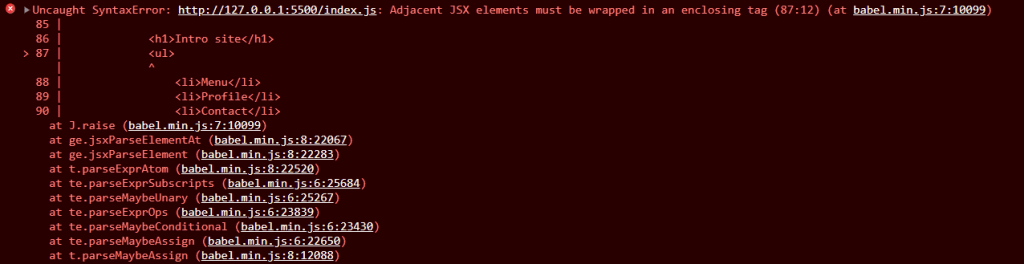
Adjacent JSX elements must be wrapped in an enclosing tag

If you are new to react, you will face this issue at some point.

If you probably reached this page via google search or any other search engine.

You are right place. I got you.

React issue

The common usecase or pattern for this issue is having multiple parent element in our JSX element or code.

Example:

function NavBar() {
    return (
        <h1>Intro site</h1>
        <ul>
            <li>Menu</li>
            <li>Profile</li>
            <li>Contact</li>
        </ul>
    )
}

Here we have both h1 and ul tag in the same level. Both are at parent level of whole component.

React will expect only one tag as parent tag. That doesn’t mean you have this kind of structure at all.

It expects us to surrond the component of same level tag with another tag.

So to resolve it we can surrond the elements with another div element.

Example

function NavBar() {
    return (
        <div>
            <h1>Intro site</h1>
            <ul>
                <li>Menu</li>
                <li>Profile</li>
                <li>Contact</li>
            </ul>
        </div>
    )
}

That’s it.
Happy Coding!