Funny Excuses that Devs Give

Devs are very brilliant and also they come up with super weird reasons when you catch a bug in their work. I’m a dev too and it was absolutely hilarious to see that I myself use the same excuses sometimes. I came across a meme and I forgot to screenshot it. I remember a few points from it. If you are a web dev, I’m sure you could relate to most of these excuses. Give it a read also a thumbs up if you could relate to any one of these points 🙂

  • It worked yesterday – Yeah, it was the compilers birthday yesterday and hence it compiled the code perfectly. Today it’s not in the mood to compile and hence it is throwing the error. Maybe you should try running the program when the compiler is in good mood.
  • Caching – Did you hard refresh? Did you clear your cache? I think the cache in your browser can’t be cleared, please use a different computer. Let me clean your cache, I’m an expert in clearing. I think the program is cached in the cloud, let me clear that as well.
  • That is weird! – Yes, that’s weird, you expected it to run, but when the QA runs it, it becomes weird. Guess your program is allergic to other people who wanted to see your code working.
  • How is that possible?? It never occurred to me – Exactly, How is that possible?
  • That is an issue with the 3rd party library that we are using – Lemme raise an issue in GitHub. Hopefully they will fix this issue within this year until then we’ll push this bug to the backlog.
  • What is the version of Chrome that you are using? Is it v79.0.3945.117? – No, It’s v79.0.3945.116. That’s exactly why you are getting this error. Could you please update your chrome?
  • I’ve not touched the code in weeks – Yeah, it could be some junior dev trying to figure out what exactly this piece of code does.
  • Did you restart your computer? – Bugs get accumulated if you don’t restart your computer everyday. So just restart and run the program. The error would be resolved (And most of the time it works!! Don’t know how.. )
  • Even-though it doesn’t work, how does the UI feel? – Like crap 🙂
  • The user wouldn’t do it that way – You QA people how do you find some creepy steps to reproduce the bug. Once I had a bug reported that occurs only when you perform certain steps after 37 seconds (seriously??).
  • This is very minor, the user wouldn’t even notice it – Absolutely yes, the user won’t notice if the login page doesn’t show up 🙂
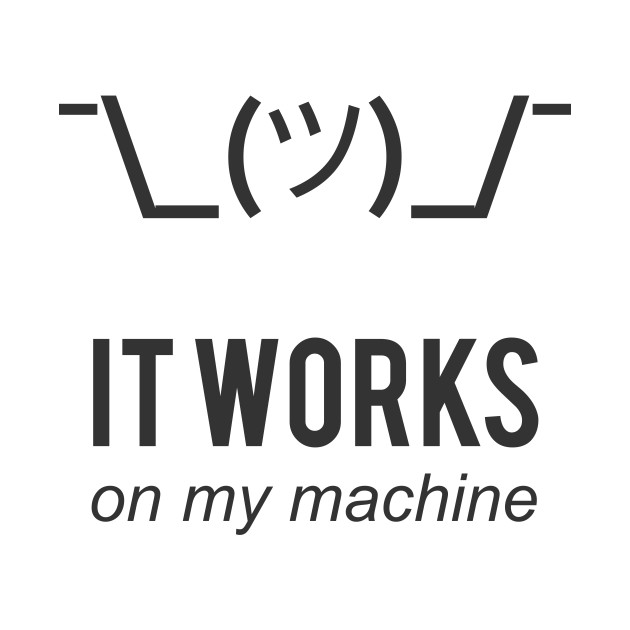
  • Finally, the most used excuse – It works on my machine!! – Yeah, we’ll ship your machine along with the product so that there is no error thrown.
Those were the most common excuses that a dev would give to the QA or the manager. Hope that most of us would have used these or heard people using these. If yes, hit like, share it with your fellow colleagues who give excuses like these. For more tech related posts follow this blog. This is SamuelLawrentz, do connect with me on LinkedIn for more updates.

Happy Coding!

Why build a Progressive Web Apps?

Want to know what is Progressive Web Apps(PWA)? Take a look here!

Building a high-quality Progressive Web App has incredible benefits, making it easy to delight your users, grow engagement and increase conversions.

  • Worthy of being on the home screen
  • Work reliably, no matter the network conditions
  • Increased engagement
  • Improved conversions

Worthy of being on the home screen

Is an app worthy to present in our home screen?

We need following qualities to answer YES for this question.

  • Reliable
  • Fast
  • Engaging

When the Progressive Web App criteria are met, Chrome prompts users to add the Progressive Web App to their home screen.

Actually, we use service workers to trigger installable shortcut based on our needs. Lets say, we are targeting only the mobile based users to install our PWA in their devices. We can detect the device based on browser and then we can prompt the user to install PWA apps.

Work reliably, no matter the network conditions

We have to handle various network conditions in PWA to meet the reliability.

The various connection modes are

  • Perfect
  • Slow
  • Lie-Fi
  • Offline

Increased Engagement

Web push notification helping a lot to provide the feel of native apps to keep the user engaged. And keeping the user more engaged once they visited the PWA application.

Improved conversions

The ability to deliver amazing experience without any distraction. Once the user started to use the application in dedicated window, it feels like native apps and there is less chance to jump to between other application similar to switching tabs in browser.

Lighthouse

Lighthouse, an open-source, automated tool for improving the quality of your Progressive Web Apps, eliminates much of the manual testing that was previously required. You can even use Lighthouse in continuous integration systems to catch regressions.

PWA Checklist

Lighthouse provides an chrome extension which provide helpful checklist that can be used to track of features of PWA.

Advantage of PWA over Native Apps

In the native application, the upgrade process is tedious or complex based on structure.

We need think of migration and data integrity, and we don’t have control at certain extent.

But in a PWA, we have control to all updates or upgrades to application. We can provide wide range of security fixes, bug fixes without any hesitation.

When we have SaaS platform application, PWA is the right combination of website with native application feel. User won’t have to worry about the upgrade scenarios. The developers will take of everything.

Popular Realtime Progressive Web Apps

There are plenty of popular websites converted their website into PWA to engaged more with their audience.

Dev.to

Dev.to is blogging or social forum where programmers share ideas and help each other grow.

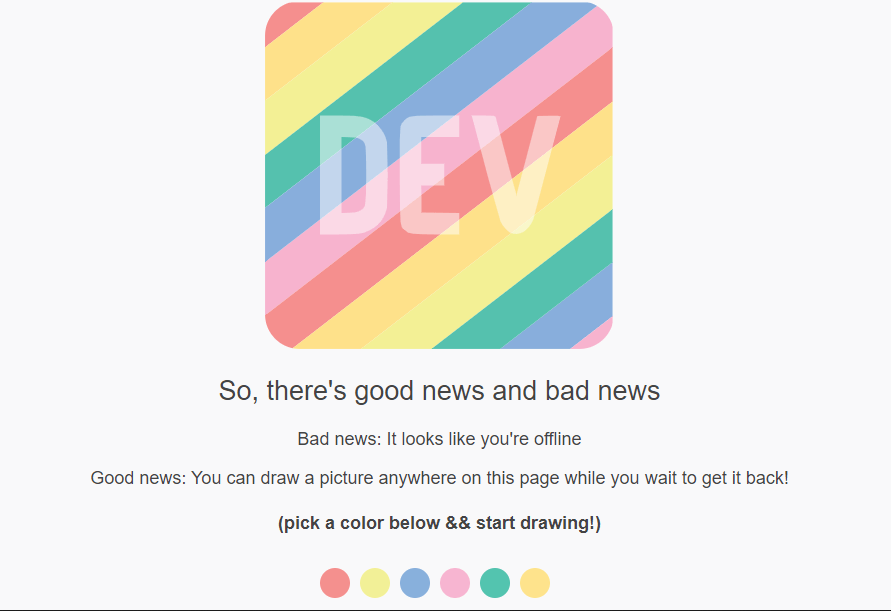
They are displaying following canvas to users whenever the internet goes down. The user can paint in the meantime when the internet is trying to reconnect.

This has been achieved with the power of Progressive Web Apps.

Spotify

The popular music giant application which has large number of user base.

With all these things going on, it looked like Spotify was unable to resist the temptation and joined the race with their own version of Spotify PWA, despite having their own desktop app.

Your background colors are now adaptable to your needs as you progress through the PWA, making your experience more personalized and unique—as a music player should be.

Ola cabs

In the competitive ola cabs did the trick and leads the market over Uber by using PWA.

During installation time native apps (Apps from play store or Apple store), you can just open Ola cabs PWA and book your ride within.

You can save your mobile data and works well in unstable 3G network as well.

Sounds like a master plan.

Swiggy

Swiggy is an online food ordering app. It leads the market over Zomato by having adaptive screen in mobile devices.

Even though you have poor mobile network, the PWA works out of box and serves you the perfect needs of the user.

Can you spot difference between native app and Progressive Web App?


And lazy loading and service workers helps the website to load only required content instead downloading whole assets files.

Even though Swiggy and Zomato is popular in India. User feels Zomato is providing more offers than Swiggy.

Because they didn’t proper user engagement and mobile app user retention.

That’s the place Zomato losing the market with Swiggy (Based on my personal experience, I’m mentioning these point; not to offend anyone)

As a user of 2+ years in both apps, I prefer PWA app whenever I needed.

Pinterest

Pinterest – Infinite scrolling – never ending image social media

The design of this application itself makes the application user to stay for long time.

You would feel the difference between native app and web app (and also PWA)

Twitter

The popular social media which lets the people to write shorter and makes PWA to use the mobile data also shorter.

The following figure shows the application of Twitter client in various medium.

Take Away

We have seen various aspects of Progressive Web Apps. And the popular web application which uses the power of PWA to engage more with the user base. Do you think its worth to give a try and convert your web application into PWA?

Leave your replies in comment section below.

In the next blog, we can see the approaches to turn the Web Application into Progressive Web Apps (PWA).

Related Post

Why Progressive Web Apps is next big thing?

Progressive Web Apps – Web App Manifest

To get latest updates you can follow or subscribe! #peace