Upgrading to React 18: Migrating from ReactDOM.render

Introduction: React 18 brings exciting new features and optimizations, but with it comes the deprecation of ReactDOM.render, a commonly used method for rendering React components. In this blog post, we’ll explore the changes introduced in React 18 and guide you through the process of migrating away from ReactDOM.render to leverage the latest rendering capabilities. By the end, you’ll have a solid understanding of the deprecation and be well-equipped to upgrade your React applications.

  1. Understanding the Deprecation:
    • Explaining the rationale behind deprecating ReactDOM.render in React 18.
    • Highlighting the benefits of the new rendering approach.
  2. Introducing React 18’s New Rendering Model:
    • Exploring the concept of Concurrent Mode and its impact on rendering.
    • Understanding the new root and render APIs introduced in React 18.
  3. Handling Common Migration Challenges:
    • Addressing potential pitfalls and obstacles during the migration process.
    • Providing solutions to common issues encountered when updating existing codebases.
  4. Leveraging the Benefits of React 18:
    • Showcasing the performance improvements and enhanced user experience.
    • Highlighting the advantages of adopting React 18’s new rendering capabilities.
  5. Optimizing React 18 Applications:
    • Exploring additional optimizations and best practices for React 18.
    • Discussing performance tuning techniques to maximize the benefits.
  6. Resources and Tooling:
    • Sharing useful resources, documentation, and guides for React 18 migration.
    • Introducing relevant tools and libraries that assist with the upgrade process.
// Before React 18
import React from 'react';
import ReactDOM from 'react-dom';

const App = () => {
  return <h1>Hello, World!</h1>;
};

ReactDOM.render(<App />, document.getElementById('root'));
// After React 18
import React from 'react';
import { render } from 'react-dom';

const App = () => {
  return <h1>Hello, World!</h1>;
};

render(<App />, document.getElementById('root'));

Conclusion: With the deprecation of ReactDOM.render in React 18, it’s essential to understand the new rendering model and migrate your code accordingly. By embracing the latest features and optimizations offered by React 18, you can unlock enhanced performance and deliver a superior user experience. Follow the steps outlined in this blog post, and you’ll be well on your way to upgrading your React applications successfully.

Internationalization with angular

Internationalization is the process of designing and preparing your app to be usable in different languages.

Localization is the process of translating your internationalized app into specific languages for particular locales.

Internalization in angular

Angular simplifies the following aspects of internationalization:

  • Displaying dates, numbers, percentages, and currencies in a local format.
  • Preparing text in component templates for translation.
  • Handling plural forms of words.
  • Handling alternative text.

You can find the official technical documentation of the current major version of angular here.

What’s new in angular 9?

Currently, Angular 9 is in the release candidate version.

Angular provides the option to explore the upcoming version to the users.

The official documentation of next-gen release can be found here.

Earlier to angular 9, let’s say angular less than version 8.

The internalization implementation isn’t straight forward or easy to go implementation.

npm tools

So, We need the support of a third party plugin to achieve the concepts. Popular plugins for il8n(Internationalization) are

However, angular 9 brings the power of il8n in it and makes it easy to implement and use.

How to add il8n?

Now, the angular CLI supports the option to add the localize option in our project

ng add @angular/localize

Once we have run the above command in our project, the CLI will add necessary dependencies to the project.

And it adds following the entry into the polyfills.ts

import ‘@angular/localize/init’

Then we need to configure the angular.json with multiple locale files as below

{
  "$schema": "./node_modules/@angular/cli/lib/config/schema.json",
  "version": 1, 
  "newProjectRoot": "projects",
  "projects": {
    "angular-localize": {
      "projectType": "application",
      
      "i18n": {
        "locales": {
          "fr":"messages.fr.xlf" ,
          "tm": "messages.tm.xlf"
        }
      },
      "schematics": {
        "@schematics/angular:component": {
          "style": "scss"
        }
      },
      "root": "",
      "sourceRoot": "src",
      "prefix": "app",
      "architect": {
        "build": {
          "builder": "@angular-devkit/build-angular:browser",
          "options": {
            "outputPath": "dist/angular-localize",
            "index": "src/index.html",
            "main": "src/main.ts",
            "polyfills": "src/polyfills.ts",
            "tsConfig": "tsconfig.app.json",
            "aot": true,
            "assets": [
              "src/favicon.ico",
              "src/assets"
            ],
            "styles": [
              "src/styles.scss"
            ],
            "scripts": []
          },
          "configurations": {
            "production": {
              "fileReplacements": [
                {
                  "replace": "src/environments/environment.ts",
                  "with": "src/environments/environment.prod.ts"
                }
              ],
              "optimization": true,
              "outputHashing": "all",
              "sourceMap": false,
              "extractCss": true,
              "namedChunks": false,
              "extractLicenses": true,
              "vendorChunk": false,
              "buildOptimizer": true,
              "budgets": [
                {
                  "type": "initial",
                  "maximumWarning": "2mb",
                  "maximumError": "5mb"
                },
                {
                  "type": "anyComponentStyle",
                  "maximumWarning": "6kb",
                  "maximumError": "10kb"
                }
              ]
            },
            "fr": {
              "localize": ["fr"]
            },
            "tm": {
              "localize": ["tm"]
            }
          }
        },
        "serve": {
          "builder": "@angular-devkit/build-angular:dev-server",
          "options": {
            "browserTarget": "angular-localize:build"
          },
          "configurations": {
            "production": {
              "browserTarget": "angular-localize:build:production"
            },
            "fr": {
              "browserTarget": "angular-localize:build:fr"
            },
            "tm": {
              "browserTarget": "angular-localize:build:tm"
            }
          }
        },
        "extract-i18n": {
          "builder": "@angular-devkit/build-angular:extract-i18n",
          "options": {
            "browserTarget": "angular-localize:build"
          }
        },
        "test": {
          "builder": "@angular-devkit/build-angular:karma",
          "options": {
            "main": "src/test.ts",
            "polyfills": "src/polyfills.ts",
            "tsConfig": "tsconfig.spec.json",
            "karmaConfig": "karma.conf.js",
            "assets": [
              "src/favicon.ico",
              "src/assets"
            ],
            "styles": [
              "src/styles.scss"
            ],
            "scripts": []
          }
        },
        "lint": {
          "builder": "@angular-devkit/build-angular:tslint",
          "options": {
            "tsConfig": [
              "tsconfig.app.json",
              "tsconfig.spec.json",
              "e2e/tsconfig.json"
            ],
            "exclude": [
              "**/node_modules/**"
            ]
          }
        },
        "e2e": {
          "builder": "@angular-devkit/build-angular:protractor",
          "options": {
            "protractorConfig": "e2e/protractor.conf.js",
            "devServerTarget": "angular-localize:serve"
          },
          "configurations": {
            "production": {
              "devServerTarget": "angular-localize:serve:production"
            }
          }
        }
      }
    }},
  "defaultProject": "angular-localize"
}

The angular package provides an option called $localize which can be used in the component

export class AppComponent {
  title = $localize`angular-localize`;
}

Adding language files

When the application process $localize, it will look for the translated or il8n text the target text in the locale file.

The locale files are configured in the angular.json already.

Let’s explore that file now.

<?xml version="1.0" encoding="UTF-8" ?>
<xliff version="1.2" xmlns="urn:oasis:names:tc:xliff:document:1.2">
  <file source-language="en-US" datatype="plaintext" original="ng2.template">
    <body>
    <trans-unit id="8298328021206315701">
  <source>angular-localize</source>
  <target>Bonjour</target>
</trans-unit>
    </body>
  </file>
</xliff>
<?xml version="1.0" encoding="UTF-8" ?>
<xliff version="1.2" xmlns="urn:oasis:names:tc:xliff:document:1.2">
  <file source-language="en-US" datatype="plaintext" original="ng2.template">
    <body>
    <trans-unit id="3902961887793684628">
  <source>hello</source>
  <target>வணக்கம்</target>
</trans-unit>
    </body>
  </file>
</xliff>

Here, we two files to support two locales. And it has been stored in xlf format.

XLF is an XML localization file format.

Running application

ng serve

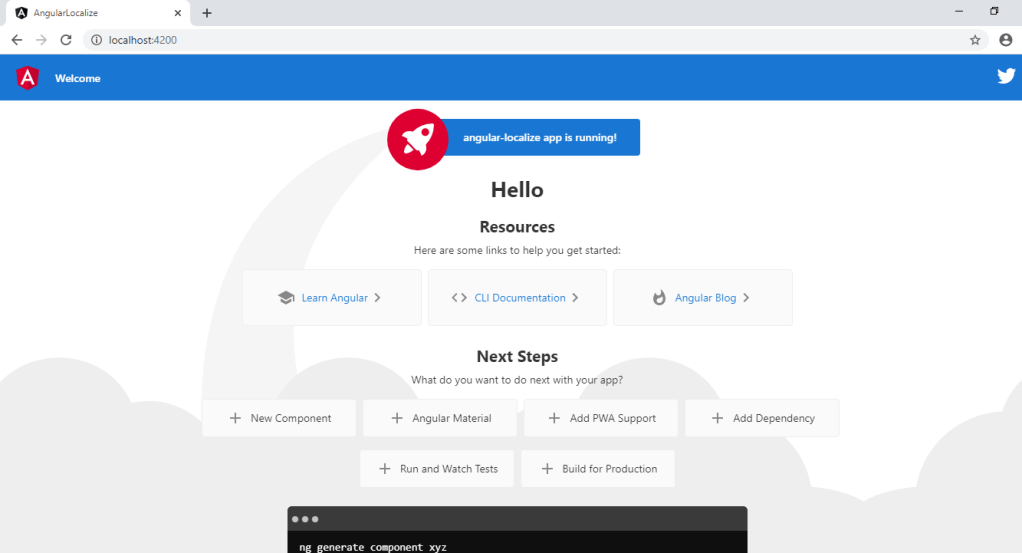
The above picture shows the default text from the application.

Now let’s run the custom command to point it to french language and see the output.

ng serve –configuration=fr

Therefore the word angular-localise is changed into Bonjour based on the language we have configured.

In conclusion, we can configure N number of languages and host it based on needs.

Disclaimer

Finally, Few things need to be done while experimenting with the above code.

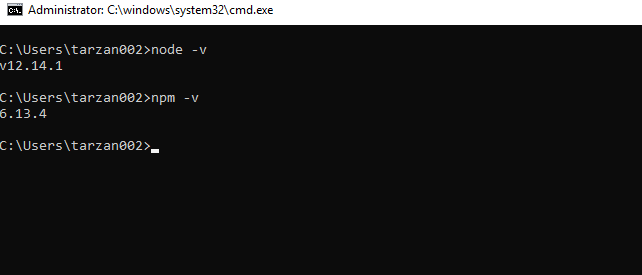
Since this package is supported in angular 9 we need to maintain a matching node environment to experiment with the code. And you can find the entire source code in this GitHub Repository.

Happy Coding!